No sign-up
Your session exists from first launch. Linking it to Apple, Google or email is optional and loses nothing.
Krumbs reads the whole receipt and splits every line between whoever actually had it. No calculator, no spreadsheet, nobody keeping score.


Free, and there is nothing to sign up for. Open it and you are already in.
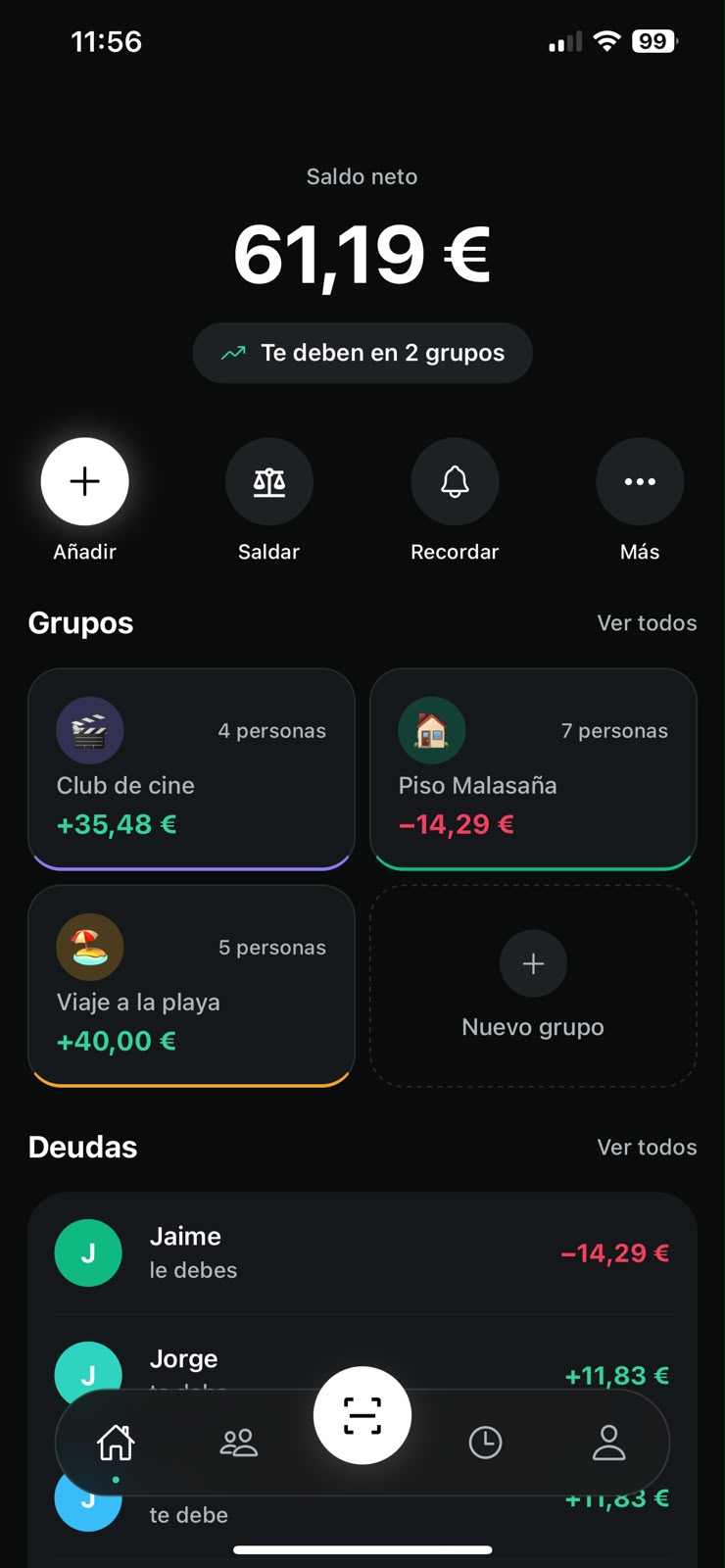
No account needed
Works offline
Any currency
Your receipts are not for sale
Five of you, one supermarket run. You picked up the bread and the olive oil. Someone else walked out with the ham and two bottles of wine.
Split evenly, everyone pays the same. And since sorting it out by hand is a faff, nobody does: you quietly pay more and say nothing.
Nearly €10 on a Tuesday food shop. Now run that across a whole holiday.
Olive oilY€3.15
Sourdough breadY€2.40
Ibérico hamJ€28.90
Rioja × 2J€23.80
Roast chickenHMC€9.95
Beer × 12HJC€8.40
Fruit and vegEveryone€14.20
DetergentEveryone€6.55
Total€97.35
Thanks for shopping with us
That is the whole app. There is no fourth screen where the real work starts.
01
With the receipt in front of you or without it. Both routes end the same way: an expense already split between the right people.
Pints × 12€66.00
House red × 2€48.00
Fish and chips × 2€33.00
Sharing platter × 1€32.00
Prawn skewers × 3€28.50
and 7 more lines
Total€321.50
Reading the receipt
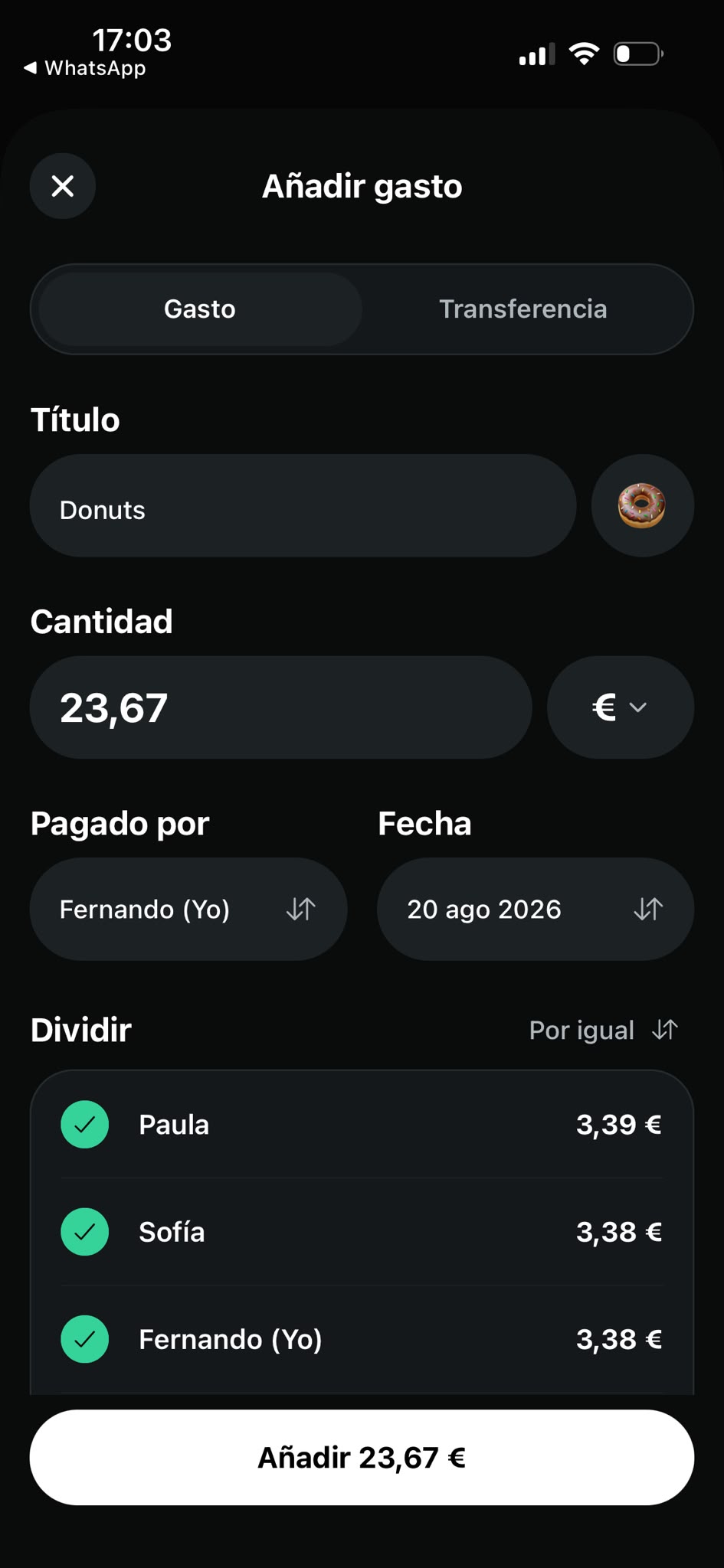
02
Every item is its own little expense: all of you, three of you, or by shares when someone had twice as much. The amounts update as you tap.
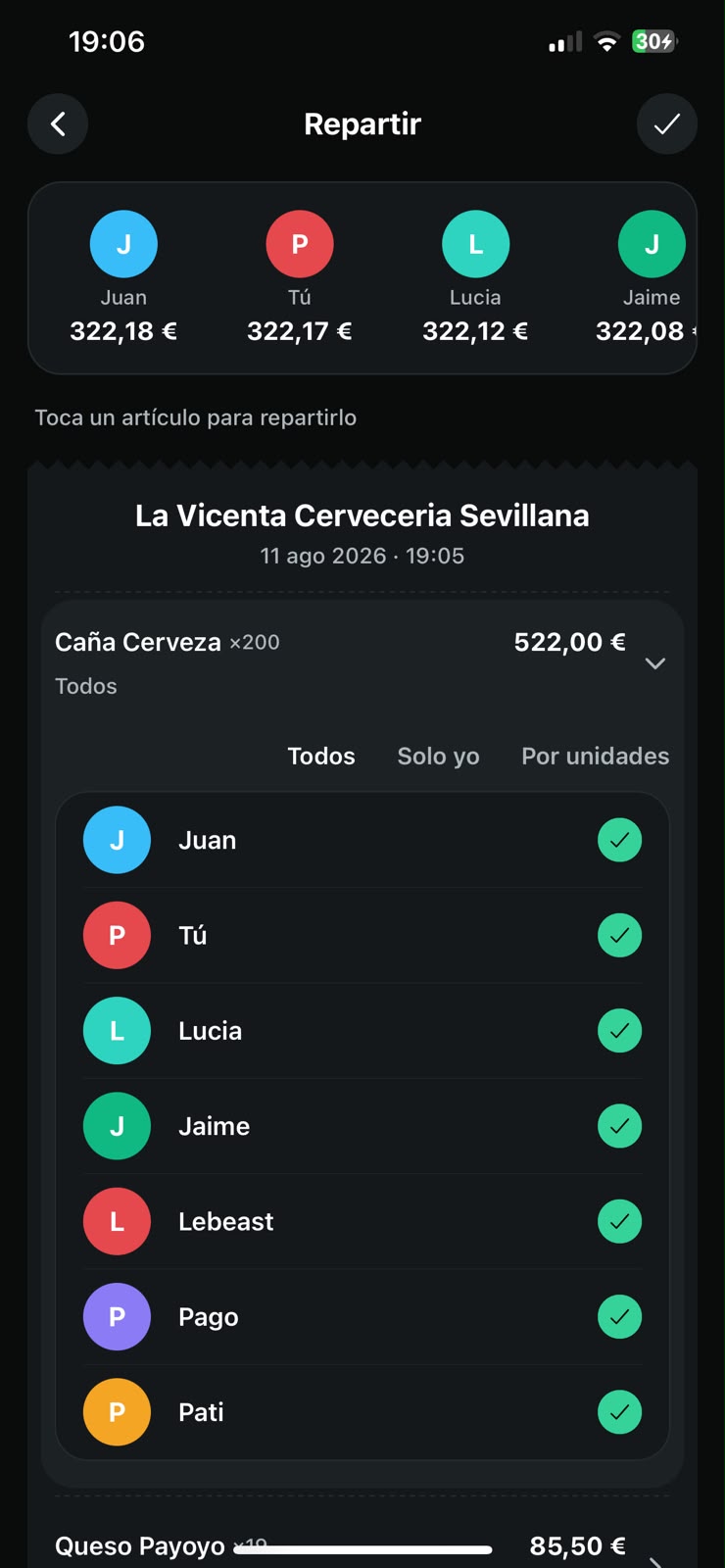
03
Krumbs takes every criss-crossing debt in the group and boils it down to the fewest payments. Six transfers become two. And when a group hits zero, it tells you.
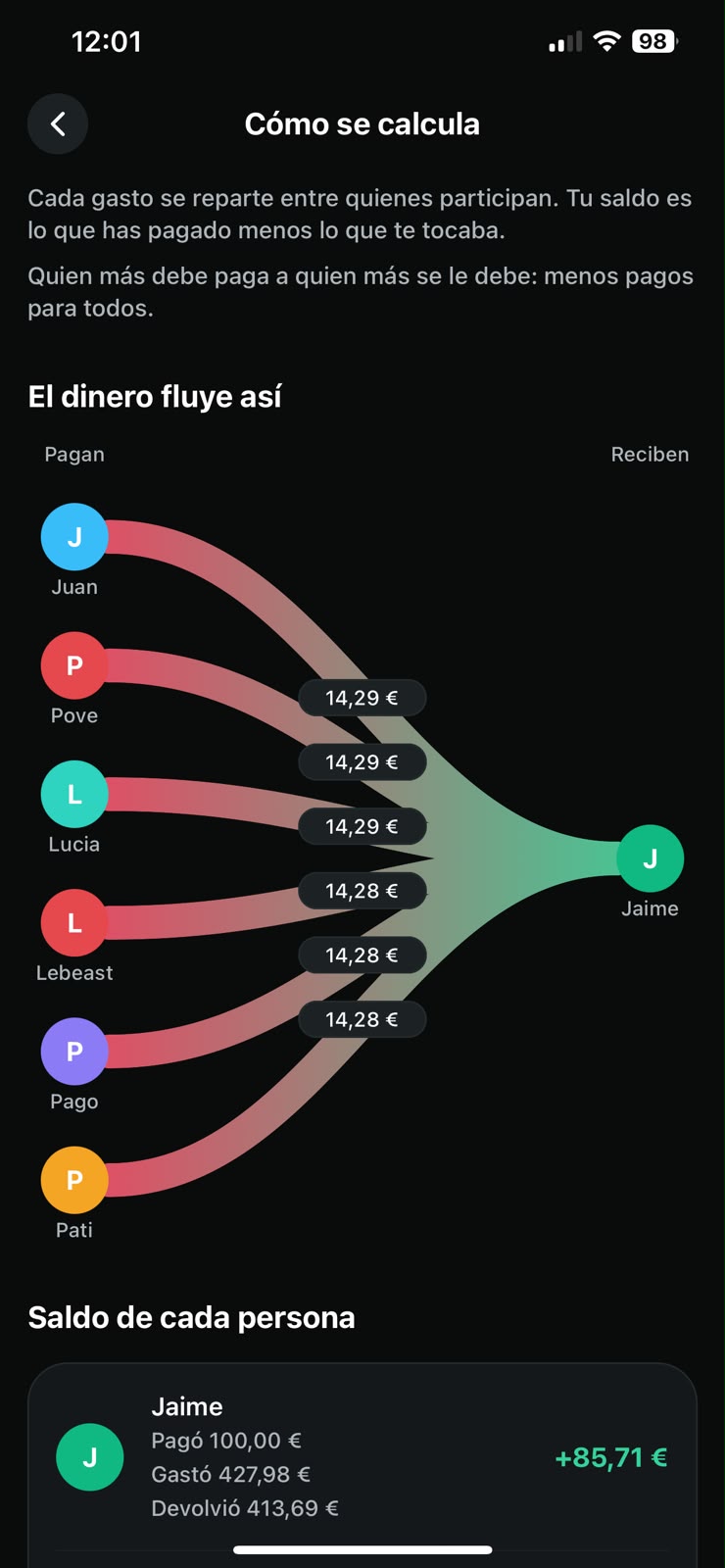
Krumbs is not a scanner with a list bolted on the back. It is a proper shared-expenses app that happens to lead with the scanner.
Four ways to split an expense, mixable inside one receipt: evenly, by shares, exact amounts, or item by item. Rounding cents get distributed rather than evaporating: the splits always add up to what the receipt says.
Repayments are ordinary expenses too: they show up in the activity feed and reconcile on their own.
Your session exists from first launch. Linking it to Apple, Google or email is optional and loses nothing.
The copy on your phone always wins. Add an expense on the tube and it syncs itself the moment you get signal back.
Each group has its own. A trip in pounds stays well out of the household accounts in euros.
Dinner for two does not need a group. One-off expenses between two people balance out just the same.
Send it however you like. Anyone without the app sees which group they are joining before installing it.
Rent, wifi and the gym membership log themselves on the day they are due.
Where the money actually goes: by month, category, group and person.
When someone pays you back, it is logged and the balance drops straight away.
The first two columns both work. They just get paid for in time, in money, or in both.
| What | In the group chat | Spreadsheet | Krumbs |
|---|---|---|---|
| Capturing what the receipt says | Nobody writes it down | By hand, line by line | One photo |
| Splitting item by item | Everyone pays the same | A column per person | Tap who had it |
| Knowing who owes whom | You argue about it | If the formula is right | With payments already reduced |
| Everyone else seeing it | Screenshots in the chat | Share a link and hope | Instantly, on their phone |
| Working with no signal | Yes | Depends on the app | Yes, except scanning |
This sits here rather than buried in the privacy policy: it is the first thing we would want to know.
It goes to Google Cloud (Vertex AI) only to extract the items, and the image is not kept. There is no way to read a receipt without it leaving the phone.
There were four days on a free alternative that asked for exactly that in exchange. It was reversed: better to pay than hand over the photos.
No email, no phone number, no contacts. The session is anonymous from first launch; linking it is optional and reversible.
From the app or from this site, with no forms and no waiting. The full detail is in the privacy policy.
Nothing at all. Krumbs is free to download and free to use, with no sign-up and no card to enter.
No. The app works from first launch with an anonymous session. Linking it to Apple, Google or an email later puts your data on another phone and gets it back if you lose this one, and it loses nothing you already had.
Yes. The copy on your phone always wins: you can create groups, log expenses and check balances with no signal, and everything uploads itself when the connection returns.
The exception is scanning, which needs a connection because the receipt is read on a server. The app tells you before it opens the camera and lets you enter the expense by hand in the meantime.
It leaves the device for Google Cloud (Vertex AI) to extract the items, and that is where its journey ends: the image is not stored and it is not used to train any model. The whole story is in the privacy policy.
It happens, especially with a worn till roll. That is why the review screen appears every time, with everything editable, and why Krumbs checks that the items add up to the printed total: when they do not, it says so instead of passing the result off as correct.
Yes. One-off expenses between contacts need no group, and the overall balance still tells you who owes what to whom.
Add them anyway and split with them from day one. When one of them comes in through your link, their whole history is already there.
No. You can add an expense by hand in four fields and split it exactly like a scanned one. The scanner is the shortcut when there is paper; the rest of the time Krumbs is an ordinary shared-expenses app.
iPhone and Android. Both versions are out.
One photo, four taps, and everyone knows what they owe.
Someone sent you an invite link? Open it and Krumbs drops you straight into the group.